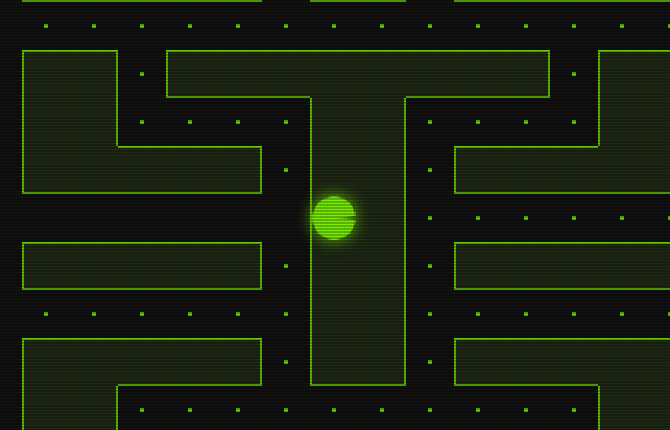
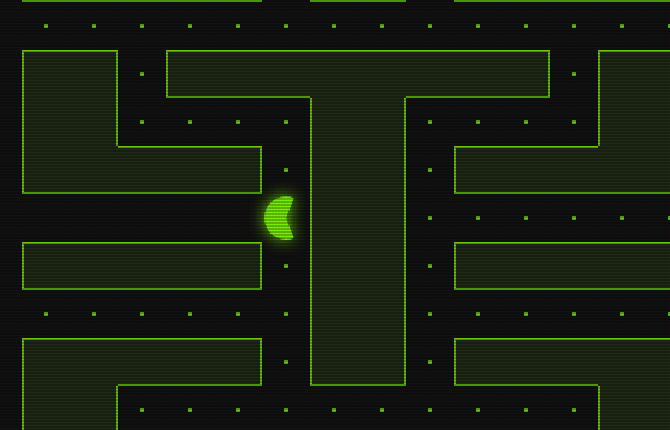
Through the Wall
why testing matters
$ git blame pacman
Two true stories from the Next Slide Please deck. I tested it for weeks.
Everything was working perfectly. But during the presentation, a couple of
things went wrong.
Demos: arrow keys (click the canvas first) or a game controller.
Escape gives the keyboard back to the slides.
Who was here last presentation?
Hands up. The Next Slide Please talk - with the voice command and the
games.
What went wrong then?
Let them answer: the voice command never fired, and someone walked
Pac-Man straight into a wall.
Analyse
Advise
Design
Realise
Validate
The cycle again. This time: validate. Did what we built actually work -
not on my desk, but out in the world?
I tested it hundreds of times
AT HOME
voice command
✓
Pac-Man
✓
DURING PRESENTATION
voice command
✗
Pac-Man
✗
I didn't skip testing. I tested a lot. But I always tested the same way,
in the same place, with the same things. You can repeat one test a
thousand times and still only have tested one situation.
“It worked on my computer”
The most famous sentence in programming. It's usually true - and it's
never the point. Nobody else is going to use your computer.
Bug 1: the voice command
AT HOME
phone
wifi
server
next slide ✓
AT SCHOOL
phone
5G
✗
never heard it
waiting…
mobile data: OFF for that one app
Every test was at home, on wifi. At school the phone was on 5G - and I'd
switched mobile data off for that one app ages ago and forgotten. The
command never left the phone. Nothing was wrong with the slide, the server
or the code. The bug was in a setting I didn't know was part of the test.
TAKE TWO
Or by voice command?
“affirmative”
The same slide as Next Slide Please, the same server. Mobile data is on
for the app now - let's see. The deck polls nextslide.hackenshaw.com/poll
every second; the voice command hits /advance. When it lands, the deck
answers "affirmative" and moves on. If it still doesn't work, any forward
key does the same thing - and we've found bug number three.
Bug 2: Pac-Man walked into a wall
That's the real slide, with Pac-Man parked inside the block in the middle.
Ask the room: what would you try first? Most people try pressing keys
faster, pressing two at once, hitting a corner just right. None of that
does it. The answer has nothing to do with the keys.
Why was he in a wall?
Nothing stopped him.
How the bug was actually found: not by playing. I didn't try key combinations or corners. A wall isn't something you can be pushed into - so the question isn't 'what pushed him', it's 'why didn't anything stop him?'
What stops him at a wall?
A check in the middle of each square.
So I went straight to the code that moves him and looked for the one place that says 'wall ahead: stop'. There's exactly one, and it only runs in the middle of a square.
When does that check run?
Only if a jump lands near the middle.
The check doesn't run every frame. It runs only when he happens to be close enough to the middle of a square. That 'only when' is where bugs hide.
When wouldn’t it land there?
When the jumps are big.
If each jump is bigger than the 'close enough' zone, a jump can land before it and the next one after it. No landing in the zone, no check, no stop.
What makes the jumps big?
Fewer frames a second.
Fewer frames means each frame has to move him further. So: a slow frame rate. That's a guess, not a find - it still had to be tested, which is what the next slides do.
LIVE DEMO
Pac-Man lives on a grid
In the middle of each square he asks:
The maze is squares. Pac-Man can only change direction in the middle of a
square - that's what keeps him neatly in the corridors. Every ring is one
of those decisions. If he never makes the decision, he
never gets told to stop.
SLOW MOTION
A game is a flipbook
The screen is redrawn about 60 times a second .
Nothing on a screen really moves. It's a flipbook: draw, move him a bit,
draw again. The dots are where he was on each page of the flipbook.
He never touches the space between the dots.
“Am I in the middle?”
MIDDLE
the zone: “close enough”
snap
lands in the zone?
snap to the middle,
then decide
jump, jump, jump →
A jump hardly ever lands exactly in the middle,close enough .
The jumps don't line up with the middle of a square, so the code asks "is he
within a small distance of the middle?" - in the code that's 0.08 of a
square either side. If yes, it snaps him to the exact middle and decides:
turn, carry on, or stop because there's a wall ahead. Now: what if a jump
never lands in the zone?
SLOW MOTION · 60 FPS
Small jumps land in the zone
Every square gets a check. He sees the wall coming and stops .
My laptop's own screen: 60 frames a second. The jumps are small enough that
one always lands in each zone. Ring = check. The last check spots the wall and
stops him. This is the only setup I ever tested.
SLOW MOTION · 24 FPS
Slow computer: big jumps
A big jump can hop right over the zone .into the wall .
A slower computer draws fewer frames, so to keep the same speed each jump
has to be bigger. Watch the squares with no ring: he jumped clean over the
zone. When that happens on the square in front of a wall, nobody checks for
the wall. He just carries on into it, and stops at the next check, which is
now inside the wall.
SLOW MOTION · 120 FPS
Very fast computer: tiny jumps
The jump is so small he’s still in the zone —He never moves.
The same bug, the other way round. On a 120 or 144 Hz screen each jump is
smaller than the zone. He jumps, he's still "in the middle", so he's snapped
back. Forever. A second bug nobody had found yet, because nobody had played
it on a gaming monitor.
TESTING THE GUESS
135 computers in one second
Steady frames: only 23–24 fail.20–35 . Above about 65: frozen.
A guess has to be tested. Instead of finding 135 computers, I ran the
movement code itself at every frame rate - which takes less than a second.
Each column is one frame rate; each row runs him 40 squares down a straight
corridor and asks: did every square get its check? Top row: perfectly steady
frames, which real screens never give you - only 23 and 24 fail. Middle row:
frames that wobble by up to 20%, like real ones - everything from 20 to 35
fails. (Below 20 the original loop caps each frame, so the whole game just
runs in slow motion instead.) The hatched block on the right was a surprise:
above about 65 fps he can't move at all. That second bug came out of the
same test, for free. Bottom row is the fix, for later. Hover a column to
read it.
In the real game
normal: stops at the block
faked slow frames: inside it
I made the browser pretend to be slow.every time .
The last step: the real slide in a real browser, with nothing changed but
the frame rate - I replaced the browser's "draw the next frame" timer with
a slower one. Left at normal speed, right at a faked 24 frames a second.
Once you can make a bug happen every time, you can fix it - and prove the
fix works.
Why I couldn't repeat it
60 fps
works fine
on its own screen
(how I always tested)
fewer frames
walks through walls
more pixels to draw, or a
slower refresh (30 Hz, 24 Hz…)
It was my laptop - but it was plugged into the big external monitor. The
browser draws one frame each time the screen refreshes, so the screen sets
the frame rate. A big monitor or TV can change it two ways: it may refresh
slower than the laptop's own panel (30 Hz, or 24 Hz for 4K over some HDMI
cables - and 24 is exactly the bad case), or it has so many more pixels
that the laptop can't draw the full-screen game in time, and frames come out
slower and uneven. I only ever tested on the laptop's own screen.
The opposite also exists: on a 120 or 144 Hz screen he can't move at all.
LIVE DEMO · THE ORIGINAL
Pick a computer, then play
computer:
slow · 24 fps
normal · 60 fps
fast · 120 fps
restart
arrow keys or a controller · LB / RB change computer · START restarts
Same code as the real slide, with the computer's speed faked. Start on
normal: he stops at the block in the middle. Switch to slow and restart:
straight into the block. Fast: he can't get going at all. Let someone in
the room drive the slow one - and watch them struggle to turn. Turning is
decided by the same check, so when it's skipped, so is the turn. At a
steady 24 fps the check lands on every other square only, so half the side
passages can't be entered, however long you hold the direction - and both
exits from the tunnel row he starts in are on the wrong squares.
The fix: never skip a stop
LOOK OUT NOW AND THEN
missed it!
A BUS ROUTE
running late? still stops at every stop
Don’t ask “am I near a middle right now?”which middles did I pass? ” — and stop at each one.
The old code is someone who only looks out of the window now and then, and
asks "are we at a stop?". Look too rarely and you sail past. A bus doesn't
work like that: the route is a list of stops, and it pulls in at every one,
however late it's running. Same idea for Pac-Man.
Split the big jump
OLD — one big jump
in the wall
NEW — stop at every middle on the way
CHECK: wall ahead → stop
rest of the jump: cancelled
Walk to the middle → check → walk what’s left.
The jump is a distance to travel. If that distance reaches the next middle,
walk exactly to the middle, do the check, then spend whatever distance is
left. If the check says "wall ahead", the leftover is thrown away. If the
jump is huge, it's cut at every middle along the way. And there's no zone
any more - so tiny jumps can't get stuck in it either.
// old: only if a jump lands near a middle
if (nearMiddle(pac)) decide(pac);
move(pac, jump);
// new: stop at every middle we pass
travel(pac, jump); // calls decide()
// at each middle
computer:
slow · 24 fps
normal · 60 fps
fast · 120 fps
Both get exactly the same frames. Slow: the left one walks into the wall.
Normal: both fine - which is why I never saw it. Fast: the left one can't
move. The right one stops in front of the wall every time (I checked every
speed from 10 to 144, with and without wobbly frame times). On a real
computer the frame times wobble, so the old one fails at lots of slow
speeds, just not every time - that's why it felt random.
The whole fix
function travel(pac, distance) {
  while (distance > 0) {
    if (atMiddle(pac)) decide(pac);      // turn? stop?
    if (pac.stopped) return;             // wall ahead: throw the rest away

    const toMiddle = distanceToNextMiddle(pac);
    const step = Math.min(distance, toMiddle);   // never past a middle
    moveBy(pac, step);
    distance -= step;
  }
}
That's it. The loop runs once for a small jump, and several times for a big
one - once per middle it passes. decide() is the same code as before: turn
if the player asked and the way is open, stop if there's a wall ahead.
The ghost uses the same travel(), so it stops walking through walls too.
LIVE DEMO · FIXED
Now try to break it
computer:
very slow · 12 fps
slow · 24 fps
normal · 60 fps
fast · 144 fps
restart
arrow keys or a controller · LB / RB change computer · START restarts
Turning works at every speed too - every middle gets its check.
Hand it to the student who broke it. Slow: stops at the middle block.
Very slow: choppy to look at, but still never in a wall. Fast: moves.
Why not just bump into walls?
// move, and if you hit a wall, push back
if (!hitsWall(pac, wanted)) go(wanted);
// stop at every middle and decide
travel(pac, jump);
Both are holding ↑ . He’s exactly as wide as the corridor,perfectly lined up.
Bumping into walls is right for a platformer or Doom, where you move freely.
On a grid where everything is exactly one square wide, it stops you walking
into walls but you can't turn corners: to fit a one-square gap you have to be
lined up perfectly, and the jumps almost never land you there. Real games add
"corner help" - snap him in if he's close enough - and that's the zone again,
with the same speed problems. The ghost also needs the middles to decide where
to go. So for this game, "stop at every middle" is the collision check.
Remember
Test in front of real people.
Test the situations, not just the code.Wifi and 5G. The laptop screen and the big monitor. Slow and fast.
Can’t repeat a bug? Ask what was different .Then fake that difference on purpose.
Finding a bug the teacher couldn't is the best kind of
playtesting there is. Repeating the same test a hundred times is one test.
A hundred different situations is a hundred tests.
playground.hackenshaw.com/join
Scan it, pick a name and a shape, and you are on the screen. Left,
right, jump - the platforms hold you up and so does everyone else.
Away from hackenshaw.com, or with ?manual, five players on autopilot
stand in for the room.